
Antenati and FamilySearch
FamilySearch Italy records
How to find Italian civil registers in the FamilySearch catalog by town, how to read an access banner, and how that browse compares with Antenati.
FamilySearch is the second free browse for Italian civil registers, after the Antenati portal. The temptation is the search box on the home page. Type a last name, get a list, and feel finished. For Italy that box is the smaller half of the collection. A large share of the images was filmed by town and year and never indexed name by name. Those images live in the catalog. If you only search, you will report a year “missing” while the book is sitting under the comune, waiting to be opened image by image.
This page is the catalog browse. The Italy Genealogy wiki and the Italy Civil Registration wiki are FamilySearch’s own maps. Use them when a catalog label is unfamiliar. This site has no FamilySearch affiliate program. Nothing here is a paid placement. FamilySearch is where the images are.
Start from a town, not from a last name
The catalog is a place catalog. Italian registers were created by the comune, and the catalog entries follow that. A last-name search can succeed when a collection happens to be indexed. It cannot stand in for the town.
Do the place work first, in the hometown guide. You want the comune, the province, and any older province the town used to belong to. The region pages flag some of those older names. Bring one person, one event, and one year range, already written on the worksheet.
Invented example. Rosa Bellini, birth about 1884, father Antonio Bellini, mother Caterina Greco, comune already identified in one province. The example is invented. The catalog steps are what you repeat with a real town.
Open the catalog and read an entry before you open an image
Go to the FamilySearch Catalog and search by place. Use the Italian name of the comune. If the catalog does not offer that place, search the province, then look down the list for the town. Try the older province if the modern one returns nothing. The wiki’s Italy pages are the backup when the place list uses a spelling you did not expect.
Open the entry whose title is civil registration for that place. Titles vary. They usually name Italy, a province or a town, and civil registration, and they often name the state archive that holds the film. Read the title you see. Do not force it to match a title you remember from a blog.
Inside the entry, read the notes before you click a camera icon:
- The years the film claims to cover. A line that stops at 1865 will not contain Rosa’s 1884 birth, no matter how you search her name.
- The contents: births, marriages, deaths, banns, indexes, or a mix bound together.
- The archive the film came from. That is the same archive you browse on Antenati, in most provinces, and it is the name you will write in your log.
- Any note about a gap, a damaged year, or a year filmed with a neighboring town.
Write that summary on the worksheet in one or two lines. Then open the image group for the right decade. Browse to the year. Use the handwritten index if the images include one, and then open the act. The reading pages take over from here: births, marriages, deaths.
Global search still has a job. Run it after you know the catalog entry, or run it once at the start and again after you have a parent’s exact name from an act. Treat every hit as a candidate until the image shows the right parents and the right town. Treat an empty global search as unfinished until the catalog browse is done.
Access banners, centers, and affiliate libraries
Some image sets open at home. Some open after you sign in. Some show a banner that the images are viewable at a FamilySearch Center or an affiliate library. Read the banner on the image. The banner is the access rule for that set. Wanting the record, or holding an account, does not change the sentence on the banner.
FamilySearch uses “affiliate library” for a library where certain images can be viewed on site. That phrase is theirs. This website has no FamilySearch affiliate program, and a link to FamilySearch is not a paid recommendation. If the banner sends you to a center or a library, bring the catalog entry you already identified: archive, town, series, years.
When a banner blocks the year, log “restricted, not absent” on the worksheet. A restricted year is a different outcome from a year the catalog does not list. The not-online guide starts only after you have separated those two outcomes, and after Antenati has been checked for the same year.
What the civil registers are, in general
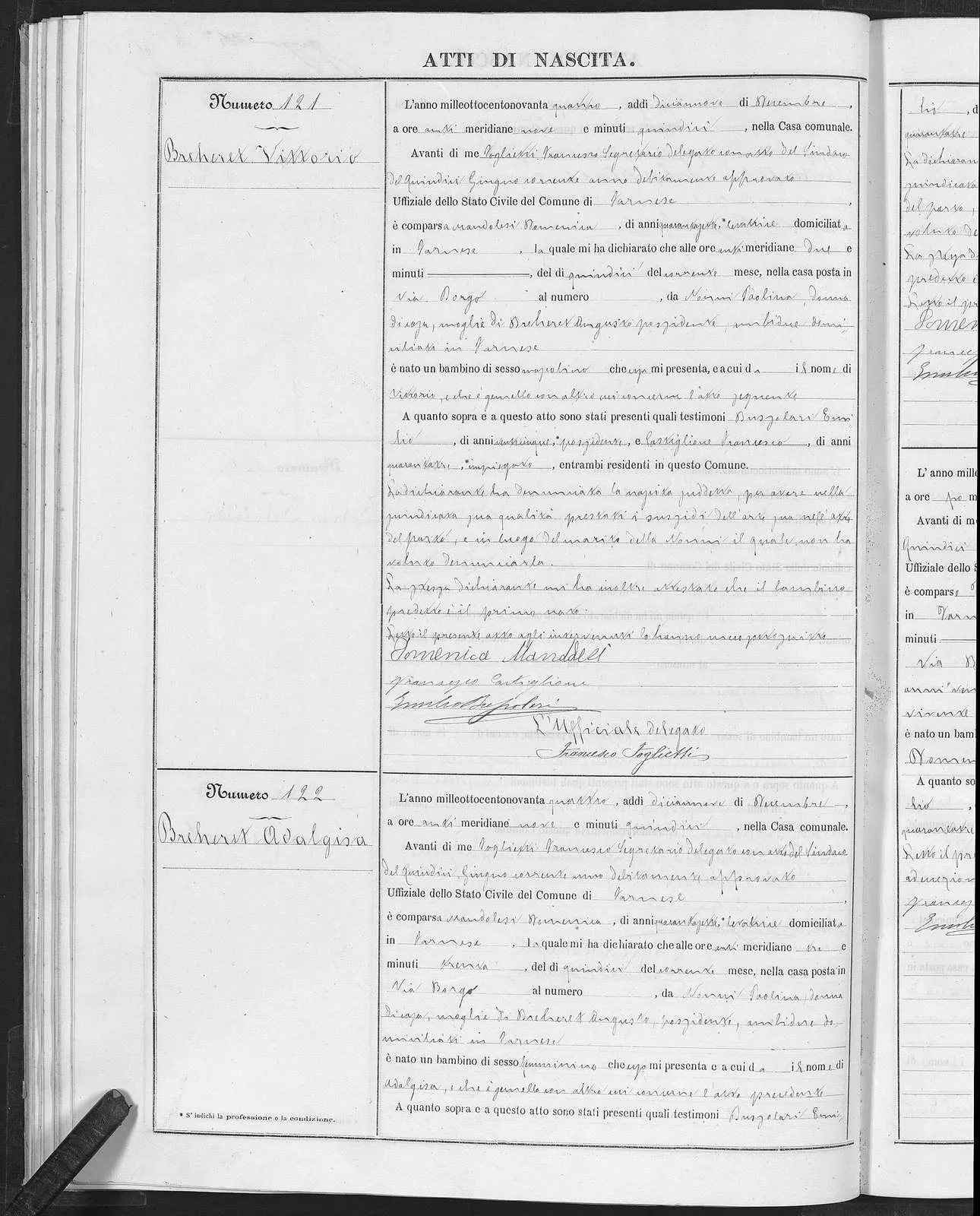
Birth act of Vittorio Breheret, Farnese (Viterbo), 15 December 1894. Civil register published through Portale Antenati. Public domain.
The FamilySearch article Important Italian Research Resources gives general ranges for civil registration. They are general. Your town’s folder can start later, stop earlier, or use a local label. Check the archive’s current listing, and read the catalog note, before you treat a range as a promise.
- Napoleonic civil registration, often filed as stato civile napoleonico, runs roughly 1806–1815 in some areas. Napoleon’s administration introduced that record-keeping as early as 1806 in some places and the general run ends in 1815.
- In the Kingdom of Naples, that style begins in January 1809 under Gioacchino Murat. The Bourbons reintroduced it in 1816. The same overview says this style was not introduced in Sicily until 1820.
- The restoration series is sometimes called stato civile della restaurazione, and in the south sometimes stato civile borbonico. The blog frames that era, in general, as 1815–1865.
- The unified series, stato civile italiano, begins generally in 1866. The same overview says the province of Rome did not begin until 1871.
- Early unified acts are often fully handwritten. The overview describes printed forms as prevalent around 1875. Read the printed label and the handwritten blank, or the prose, as the page gives them to you.
Those labels matter because catalog and Antenati folders use them. Open the era that contains your year. The civil records page keeps the series in one place. Births, marriages, and deaths have their own overviews: birth, marriage, death.
Church books are a different catalog trail. They are parish baptisms, marriages, and burials, often in Latin, and they are described on the church records page. Search the catalog for the town and for the diocese if the town entry has no parish film. The Latin word list is for those books. Civil acts are Italian; use the Italian word list for them.
Antenati and FamilySearch on the same volume
The Antenati history page describes a June 2011 agreement between the Direzione generale Archivi and FamilySearch to digitize stato civile and liste di leva. The institute’s Antenati page describes the project as a 2011 collaboration and lists birth, death, and marriage acts, conscription lists, and service rolls among the materials. The same volumes often appear in both places because of that work. The indexes do not match, and neither do the locks.
Use both listings. A practical order:
- Browse the town on Antenati, as the portal guide describes, and try name search once.
- Open the FamilySearch catalog entry for the same town and the same years.
- If one side has the year and the other does not, use the side that has it.
- If FamilySearch has the year behind a center banner and Antenati has the images open, use Antenati.
- If both listings skip the year, you are ready for the not-online path.
Do not assume a missing year was destroyed. Check the archive’s current listing. Volumes are skipped, bound with another year, filed under a former comune, or still at the office that created them.
Conscription lists, liste di leva, fall under the same rule. The 2011 agreement included them. Whether your province’s lists are in the catalog or on Antenati is a question for those listings. A list can give a birthplace and parents’ names. Read the heading of the volume you actually open, and copy what that heading shows.
Browse a year without an index
When the image group has no name index, confirm the town and the year on the title page, then scan the margin for the last name. Read the parents before you accept the name. If you stop for the day, write the last image number. Resume there.
Invented example, continued. You open the catalog entry for Rosa’s province, find civil registration for her comune, and see a birth range that includes 1884. The index, if present, leads to Bellini Rosa. The act names Antonio Bellini and Caterina Greco. You transcribe it and write the image number. If the icon shows a center or affiliate-library banner, log the restriction and open Antenati for the same year before you plan a visit.
A catalog session that stays honest
Keep the worksheet next to the screen. Columns that earn their space: date, comune, province, catalog title as copied, years covered, series, image range you actually viewed, result. Results worth distinguishing are: act found, year browsed and name absent, year not in the catalog, images restricted, title page says a different town.
Run one spelling variant while you are in the year. If the passenger list says Bellino and the family says Bellini, look at both in the index of the same year. Then stop.
The free records guide and the websites guide explain where else Italian research happens. They are the map. This page is the FamilySearch shelf. When the shelf and Antenati both lack the year, write one focused letter with the comune template or, for a baptism, the parish template.
The kit is the folder for the worksheet, the word lists, and those letters. The catalog work comes first, because a letter about a year you have not opened is a letter the images might have answered.
Sources
Questions readers actually ask
Is a FamilySearch account the same as an index of every Italian town?
An account lets you open the catalog and many image sets. Some sets are indexed and many are browse-only. The catalog entry for the comune tells you which years you can open.
What does a FamilySearch Center or affiliate-library banner mean?
It means that image set is viewable at a FamilySearch Center or an affiliate library. Read the banner on the image. A home login does not lift it. This site has no FamilySearch affiliate program.
Are FamilySearch and Antenati the same photographs?
The 2011 agreement covered digitizing civil registers and conscription lists, so the same volumes often appear in both catalogs. Indexes and access rules differ. Check each current listing.