
Antenati and FamilySearch
How to use the Antenati portal
How to browse the Portale Antenati by archive and town, use the three search tools, and continue when a name search comes back empty.
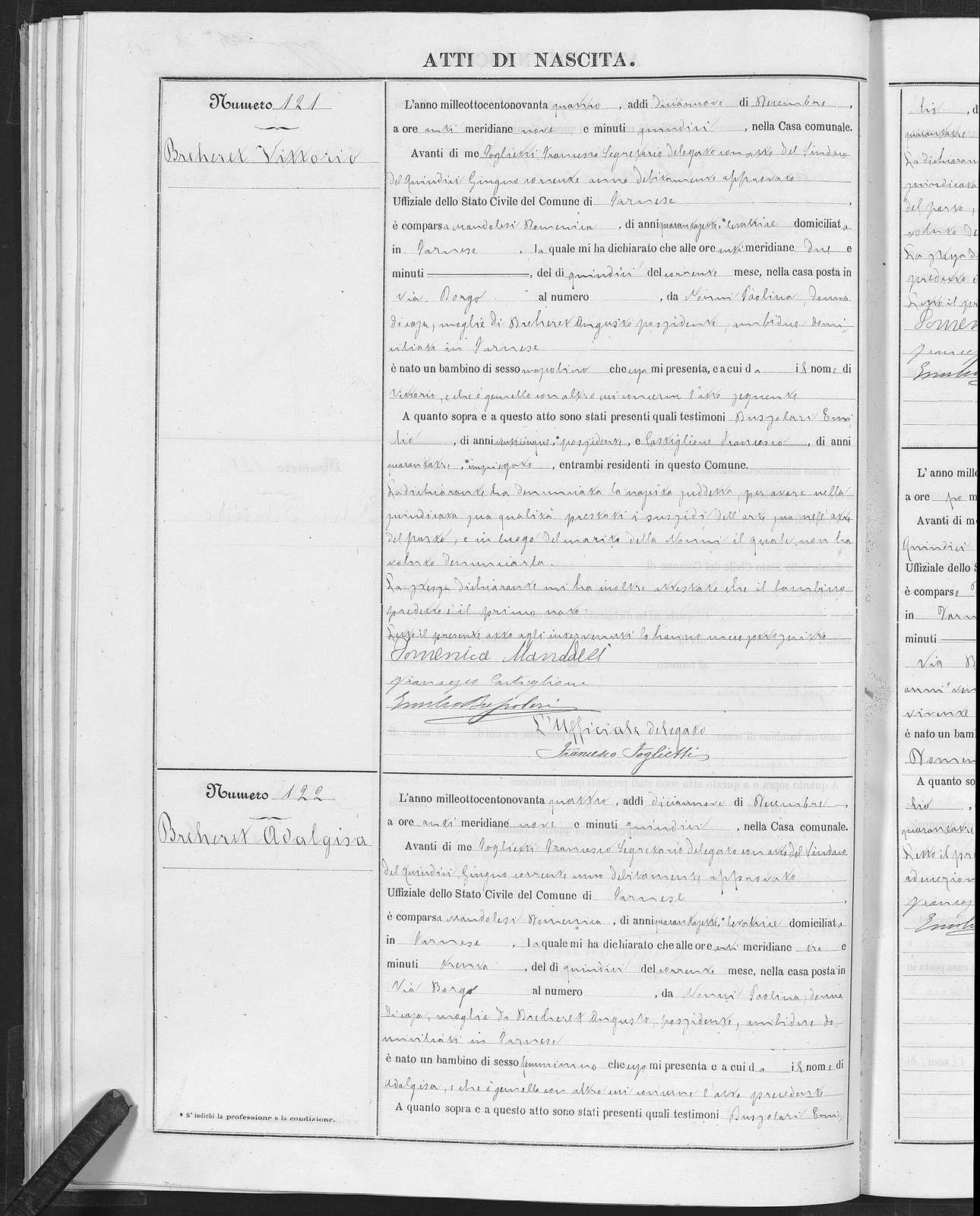
The Portale Antenati is the Ministry of Culture site for anagraphic and genealogical records kept in the Italian state archives. The Istituto Centrale per gli Archivi describes what you will meet there: birth acts, death acts, marriage acts, liste di leva (conscription lists), and ruoli matricolari (service rolls). The Direzione generale Archivi describes the same body of material. Access is free, and the institute says registration is not required. You open antenati.cultura.gov.it and work.
The portal is organized like an archive, by repository, record group, municipality, series, and year. A last name typed into the wrong tool searches only the registers someone has indexed. This page is the browse. The name-search walkthrough is the other tool.
What you need before you open it
Antenati cannot supply the town. Italian civil registers are arranged by comune. If you still have only a last name and a story, finish the place hunt in the beginners’ sequence and the hometown guide. The Ellis Island guide covers New York passenger lists, a common place to find a town of birth or last residence.
Write three things on the worksheet before the first click:
- The comune, plus the province you think filed it.
- The event: birth, marriage, or death.
- A year, or an honest range. An age of “about 30” on a ship list is a range, and you should write it as a range.
Add the father’s name and the mother’s last name if you have them. Those two names are how you tell two people of the same name apart once you are inside a year.
Invented example. Rosa Bellini, said in a family note to have been born about 1884. Her father is Antonio Bellini and her mother is Caterina Greco. The passenger list gives a town you have already checked in a gazetteer, and that town sits in a province whose state archive you can name. Nothing in this example is a real family. It is only a shape for the search.
Three tools, and which one to open
The portal’s research guide is the official map of the tools. Use the labels on the site you see today if a button has moved. The jobs of the three tools are stable:
- Cerca per nome looks for a person. The institute says you can enter a given name or a last name, or search by place or by a year of birth or death, and that you reach the act directly when the registers have been indexed. Indexed is the whole condition. The name-search page shows how to read a hit and a miss.
- Cerca nei registri looks for a book. The institute says you enter a locality, a register year, and a type of document. A further choice, Registri con anagrafiche, limits the list to registers that already have names linked to them. Leave that choice off when you are trying to see every book. Turn it on only when you want the linked ones.
- Esplora gli Archivi, at esplora-gli-archivi, is the tree. Open it when you need to see which archive, which record group, and which years the portal currently shows for a town.
A name search is a function of the portal, not a guarantee for every town. A failed name search does not prove the act is missing. It proves that this query did not hit an indexed register. You still browse.
Use the Italian interface
Use the Italian interface. The research guide and the register titles are in Italian. Nati, nascite, matrimoni, morti, pubblicazioni, allegati, and indici are the words on the folders. An English shell around those titles adds a translation you then have to undo.
Researchers who pass image links around have found that an address containing lang=en sometimes fails to open the image cleanly. If a shared link misbehaves, remove that parameter and start again from the Italian homepage. Treat that as practical advice from that experience. It is not a tested bug report. The habit is simply to work in Italian, because that is the language of the finding aid.
Browse the archive the way the finding aid is built
Start at Esplora gli Archivi. Pick the state archive that covers the province. The region pages are where this site notes older province names that still organize some archives. If the town moved from one province to another, look in the older archive as well as the newer one, and write down both attempts.
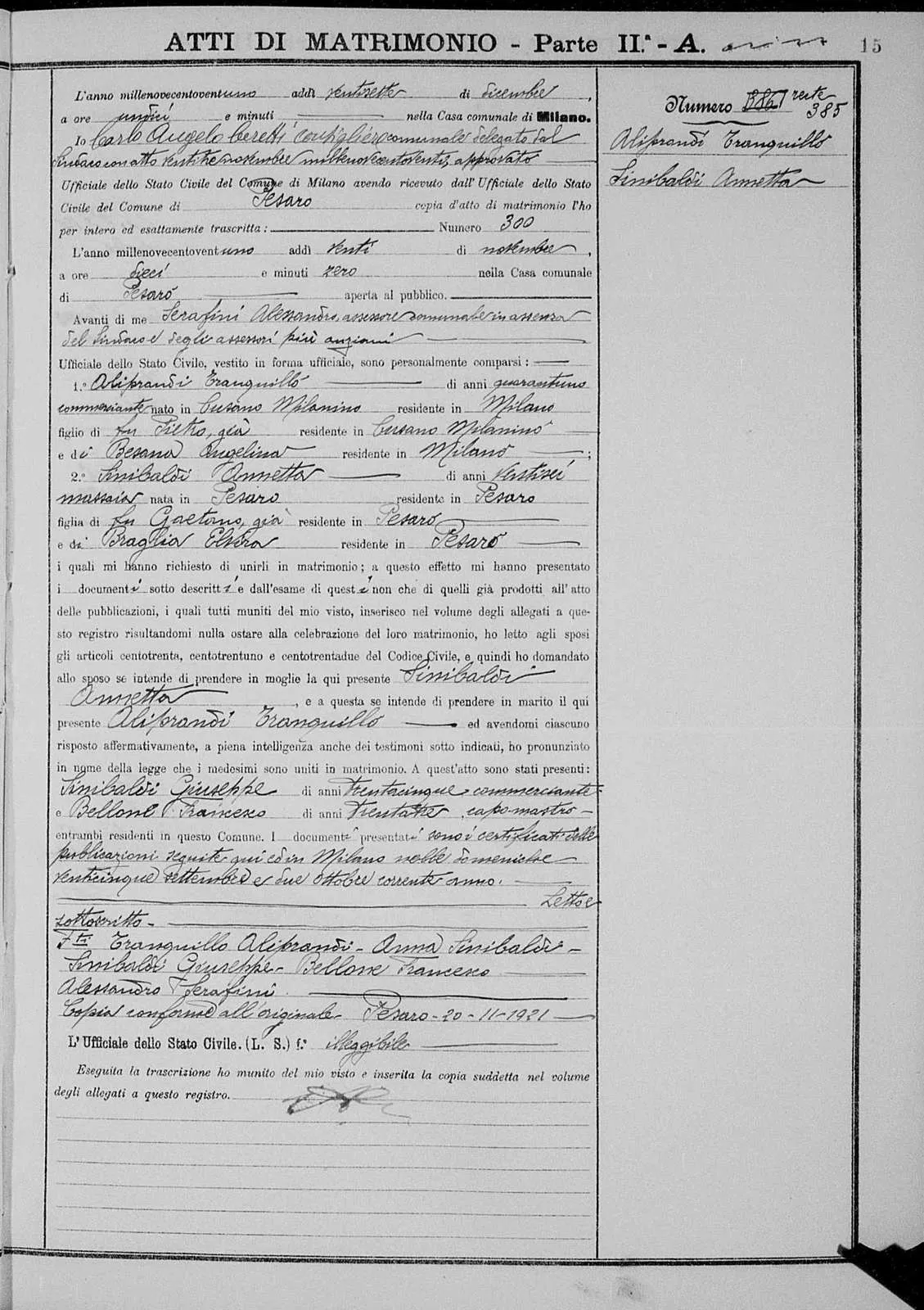
Marriage act of Tranquillo Aliprandi and Annetta Sinibaldi, Milan, 20 November 1921. Civil register of the Comune di Milano. Public domain.
Inside the archive, open the record group for civil registration. You will see series that follow the history of the records. A FamilySearch overview, cited on the civil registration page, gives general ranges: Napoleonic registers roughly 1806–1815 in some areas; the Kingdom of Naples from January 1809; a Bourbon reintroduction in 1816; Sicily in 1820 for that style; a unified series generally from 1866; Rome province from 1871. Those ranges are general. The label on your town’s folder wins. Check the archive’s current listing for the years actually published.
Then open the comune. Hamlets belong to a comune. If the family lived in a frazione, the act is usually in the comune’s register. Confirm the comune in the hometown guide before you decide the hamlet had its own books.
Then open the series that matches the event:
- Births: nati or nascite.
- Marriages: matrimoni. Pubblicazioni are the banns. Allegati or processetti are the supporting papers, when the archive filmed them.
- Deaths: morti.
- Indexes: indici, including the decade index, the indice decennale, when one was filmed.
- Conscription: liste di leva, for some archives. Service rolls, ruoli matricolari, are a different series. Check the archive’s current listing before you assume either one is on the portal for your province.
Open the year. Read the title page so you know whether the images are the year you wanted or a bind-up of several years. Then use the index if the volume has one. Indexes are often alphabetical only by the first letter, and clerks misspelled names. Note the act number, then open the act. Do not stop on the index line.
Invented example, continued. For Rosa you would open the state archive, the civil-registration group, her comune, the birth series, and the 1884 register. You would read the index for Bellini, note the act number, and open that act. You would compare the father Antonio and the mother Caterina Greco with the margin and the body. If 1884 has no such act, you would open 1883 and 1885 before you called the year empty. The declaration date and the birth date can fall in different years when a child was born in late December.
Read the act far enough to copy it
A birth image is a narrative statement, not a modern form with tidy boxes. The birth reading guide walks the lines. Marriage and death have their own reading pages: marriage and death. The Italian word list is the vocabulary. Parish books, when you reach them, switch into Latin; that list is separate, on the Latin word list.
Copy the names as the clerk wrote them, plus the act number, the year on the title page, and the image identifier. Translate afterwards, on the worksheet. The image is the register entry, the atto. A later certificato or estratto is a different copy, separated on the estratto page.
When the year is not in the tree
Check the archive’s current listing twice: once under the comune, and once in Cerca nei registri with the locality and the year, with Registri con anagrafiche turned off. Neighboring years sometimes hold a volume whose title page covers the year you wanted. A gap can be a book that was never filmed, a book filmed under a different series title, or a book that is not in this archive’s published set.
The same digitization is why many of these volumes also appear on FamilySearch. The portal’s history page describes a June 2011 agreement between the Direzione generale Archivi and FamilySearch to digitize stato civile and liste di leva. The institute describes the project as a 2011 collaboration and says the site you are using is the redesign begun in 2020. Catalogs, indexes, and access rules still differ. The FamilySearch Italy guide is the next browse, not a second copy of this page.
If both listings lack the year, follow the not-online path: confirm the gap, try FamilySearch, then one letter to the comune for a civil act or to the parish for a baptism. The letter templates are the comune letter and the parish letter.
A session you can finish in an evening
Keep one person, one event, and one town open. Log every volume, including the ones that did not contain the act. A later evening should not re-open 1882 because you forgot you already read it.
- Confirm the comune and the province on the worksheet.
- Open Esplora gli Archivi and find the archive and the comune.
- Write down the first and last year shown for the series you need.
- Try Cerca per nome once, with the last name and the given name, and save any hit.
- Whether or not step 4 hits, open the year and the index, then the act.
- Transcribe the act with the word list before you hunt the parents.
- If the year is absent from the listing, switch to the FamilySearch catalog the same evening, while the place names are still in front of you.
The free-records overview and the websites guide place Antenati among the other sites. The kit holds the worksheet, the word list, and the letters. The order of the search stays the one above: place, archive, series, year, act.
Sources
Questions readers actually ask
Is the Antenati portal free?
The Istituto Centrale per gli Archivi says access is completely free and that registration is not required. Open the site and use the registers it has published.
Does an empty name search mean the birth was not recorded?
No. Cerca per nome retrieves an act when the register has been indexed. An empty result leaves the browse of that year still to do. Check the archive's current listing.
Should I use the English screens?
Use the Italian interface. The research guide and the register titles are in Italian. A name search is a function of the portal, not a guarantee for every town.