
Antenati and FamilySearch
Antenati search by name
How to use Antenati name search, why it only returns indexed registers, and how to browse the year when the surname is missing.
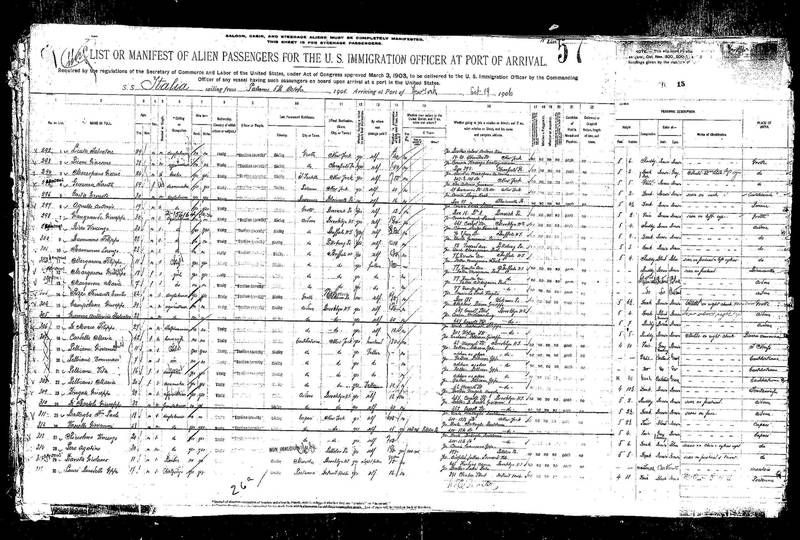
Cerca per nome is the Antenati tool that feels like a search engine. The Istituto Centrale per gli Archivi describes it plainly: you type a given name or a last name, or you search by locality or by a year of birth or death, and if the registers have been indexed you can go straight to the civil act. The condition is the indexed register. Everything else in Italian family history sits outside that condition, still readable, still arranged by town and year.
Use this page when you want a name search done carefully. Use the Antenati portal guide for the archive tree, Cerca nei registri, and Esplora gli Archivi. A name search is a function of the portal, not a guarantee for every town.
What the box is actually searching
The research guide on the portal is the official description of the tools. The institute’s own sentence is the one to remember: the act comes back when the registers in which the person appears have been indexed. An index here means a name layer someone has built on top of the images. It does not mean “every book the archive filmed.”
Two practical consequences follow.
First, a hit is a lead to an image. Open the image. Read the act. The index line can attach the right last name to the wrong person, or the right person to a year that is only the index year.
Second, an empty result is a statement about the index. A failed name search does not prove the act is missing. The year can be sitting in the archive tree with every page photographed and no names typed. Check the archive’s current listing, then browse.
Cerca nei registri has a related switch, Registri con anagrafiche, which keeps only the registers already linked to names. If you turn that switch on and your town vanishes, turn it off. You have just filtered away the books that still need to be read page by page.
Set the search up so a miss means something
Open the Italian homepage. Use the Italian interface. The research guide and the register titles are in Italian. Researchers who share image links have found that a lang=en parameter sometimes makes a viewer link misbehave. If that happens, delete the parameter and begin again from the Italian homepage. That is practical advice from that experience, not a claim that a particular screen is broken today.
On the name form, start narrow enough that you can finish the results in one sitting:
- Last name as it was written in Italy, then one alternate spelling in a second search.
- Given name in the Italian form. Giuseppe, not Joseph. Maria as a first name is everywhere; add the second name only after a first pass, because the clerk may have recorded one name.
- Place, when the form has a place field. Use the comune. If the form wants a province or an archive, use the one you confirmed in the hometown guide.
- Year, when you truly have one. If you have a range, run the endpoints and the middle, or leave the year empty and sort the hits yourself. A range typed as a single year will hide the rest.
Save the query on the worksheet: the exact string, the date, and the number of hits. “I searched Antenati” is not a log. “Bellini Rosa, comune name, no year, 12 hits, 4 October 2026” is a log.
Invented example. Rosa Bellini, father Antonio, mother Caterina Greco, birth about 1884, comune already identified. Search 1: last name Bellini, given name Rosa, that comune. Search 2: Bellino and Rosa, same place, because a clerk or a later indexer may have dropped or doubled a letter. Search 3: Greco Caterina with the same place, in case you find the mother’s marriage or death and only then the child’s birth. This family is invented. The shape of the three searches is the part to copy.
How to read a hit
A useful hit shows a name, a place, a year, and a type of act, and it links to an image. Open the image even when the summary looks perfect. On the image, check four things before you attach the person to your tree:
- The comune on the title page or the heading, not only the place in the result list.
- The year of the register, and the date inside the act. A birth declared in January can belong to a December birth in the previous year.
- The parents. For Rosa, you want Antonio Bellini and Caterina Greco, or a spelling close enough that you can explain it.
- The act number. Write it down. Indexes and later letters both use it.
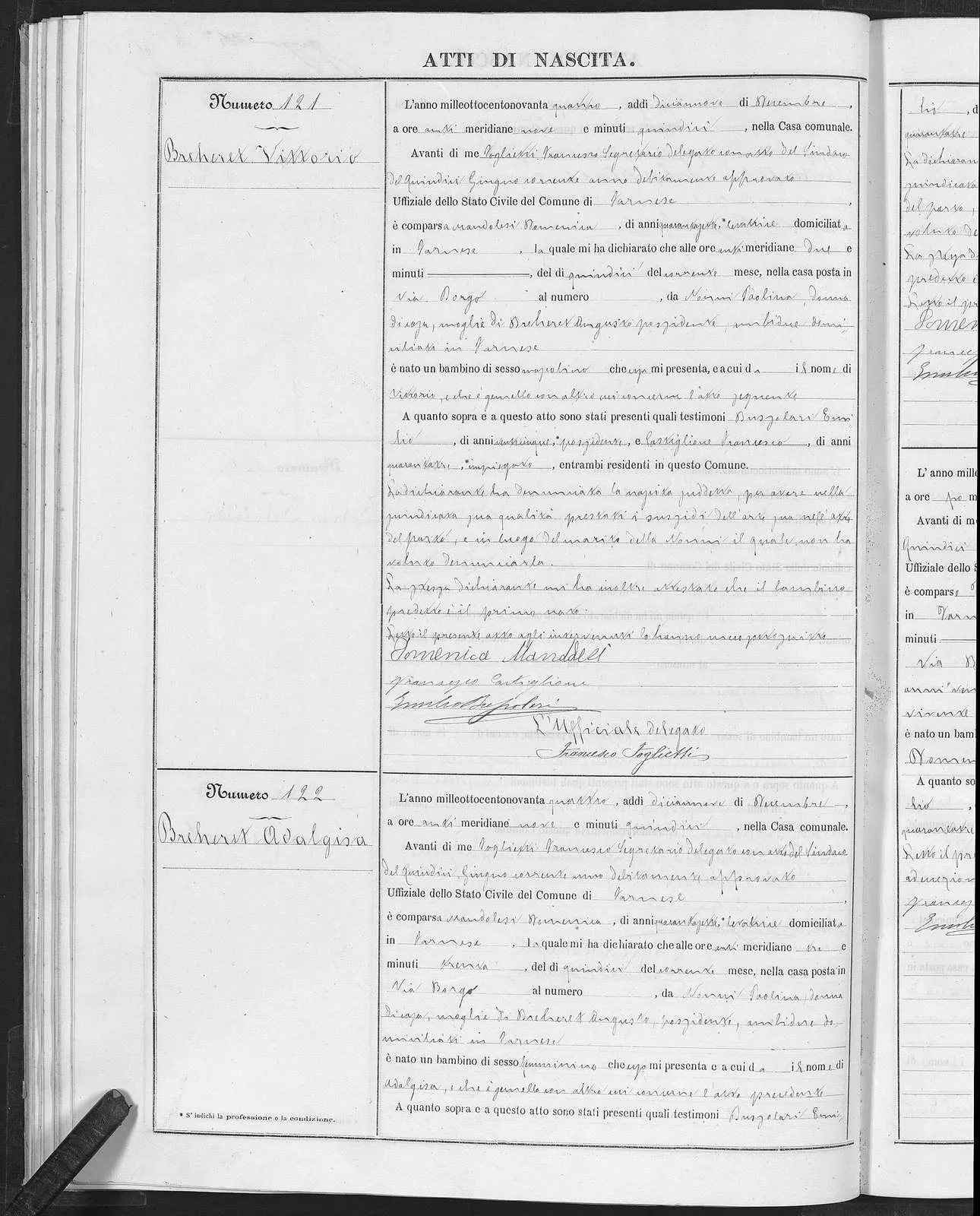
Birth act of Vittorio Breheret, Farnese (Viterbo), 15 December 1894. Civil register published through Portale Antenati. Public domain.
Then transcribe. Births are taught on the birth reading page, marriages on the marriage reading page, deaths on the death reading page. The word list covers the vocabulary. If the hit is a marriage, stay for the allegati or processetti when the viewer links them. Check the archive’s current listing for that series.
Discard a hit in writing. “Same name, father is Marco, not Antonio” is a finished negative. The act uses a woman’s own family name. A widow is vedova of a named husband. A child can be recorded under the mother’s surname when the father is not named. Read the formula.
How to read a miss
Work the miss in order. Stop when a step produces the image. Do not skip to a letter while the images are still unopened.
- Repeat the search with one spelling change: a double consonant, a dropped vowel, or the spelling from the passenger list. One change at a time, so you know which string worked.
- Drop the given name and browse the hits for that last name in that comune, if the list is short enough to read. If it runs for pages, put the place and the year back.
- Search the father’s given name and last name, and the mother’s surname, as separate queries. You are looking for their marriage or their deaths as a door into the same years.
- Leave name search. Open Esplora gli Archivi and the path in the portal guide: archive, civil registration, comune, series, year.
- Inside the year, use the handwritten index, the indice, and the decade index if it was filmed. Those indexes were made by the clerk. Open the act number either way.
- Read one year on either side of the target. Ages drift. Declarations slip into January.
If the year is not in the tree at all, name search cannot invent it. That is a holdings gap, and it belongs to the not-online guide. Confirm it on the listing, then repeat the browse on FamilySearch.
Spelling, indexes, and the same name twice
Italian civil indexes often group last names by the first letter and then roughly alphabetically. Bellini may sit with Bellino and Belloni, or with a name written over a correction. Read the whole letter, not only the line your eye lands on.
Given names wander. Rosa, Rosalia, and Rosa Maria can be one woman or three. The parents and the age decide. If the index offers two Rosas, open both acts. The invented Rosa is Rosa, daughter of Antonio and Caterina, born in a stated year. Nicknames wait. Start with the Italian form on the ship list or the family paper. The beginners’ guide is where that paper trail is gathered.
Name search inside a register you have already found
Once you are browsing images, a second kind of “search by name” is the clerk’s own index at the front or back of the volume. It is easy to miss because it looks like more handwriting, not like a tool.
- Read the cover and the first few images. An annual index often lives there.
- A decade index may be its own item in the archive tree, titled indice decennale or simply indici.
- The index gives a last name, a given name, and an act number. Sometimes it gives a month. It rarely gives the mother’s surname. That is why the act still has to be opened.
- Numbers are often written as words in the act and as numerals in the index. The word list has uno through mille for the moment the two forms have to be compared.
If the images have no index, read the margin, where the last name was written for scanning. Chronological registers mean scanning the whole year. That is how an unindexed year is finished.
What to do with the act once the name hits
Copy the Italian before you summarize it. A good note has the archive, the series title as printed, the year, the act number, the image link, and a line-by-line transcription of the names, ages, occupations, and residence. The English summary comes second.
Then decide the next act on purpose. A birth points to the parents’ marriage, usually in the same comune or in the mother’s comune, in the years before the birth. A marriage points to the two births and, when a parent is marked fu (the late), to that parent’s death. A death points backward to a birth only if the age and the parents are specific enough. Each of those is a new name search plus a browse, not a single click on the same result list.
When the next year is absent from the listing, stop searching the name and change path. The comune letter is for a civil act the portals do not show. The parish letter is for a baptism, a marriage, or a burial in the parish book. Say which act you already found, so the office is not asked to repeat it.
The civil records overview explains the series. Births, marriages, and deaths each have a record page: births, marriages, deaths. The kit holds the worksheet and the word list. The search itself stays on the portal: one spelling, then the year in the archive tree, then the act.
Sources
Questions readers actually ask
Why does Antenati find a neighbor's last name and not mine?
Name search returns people in registers that have been indexed. The next town, or the next decade, may have no index yet. Browse that year from the archive tree.
Can I search a whole province by last name?
You can type a surname, and you can add a place when the form offers one. A province-wide hit still has to be checked against the parents and the year. Many books are not in the index at all.
What should I type for a woman's name?
Type the last name she was born with. Italian civil acts keep a woman's own family name. A marriage act lists her beside her husband; it does not replace her surname with his.