
Antenati and FamilySearch
Italian records not on Antenati
What to do when an Italian birth, marriage, or death is not on Antenati: confirm the gap, check FamilySearch, then write one focused letter.
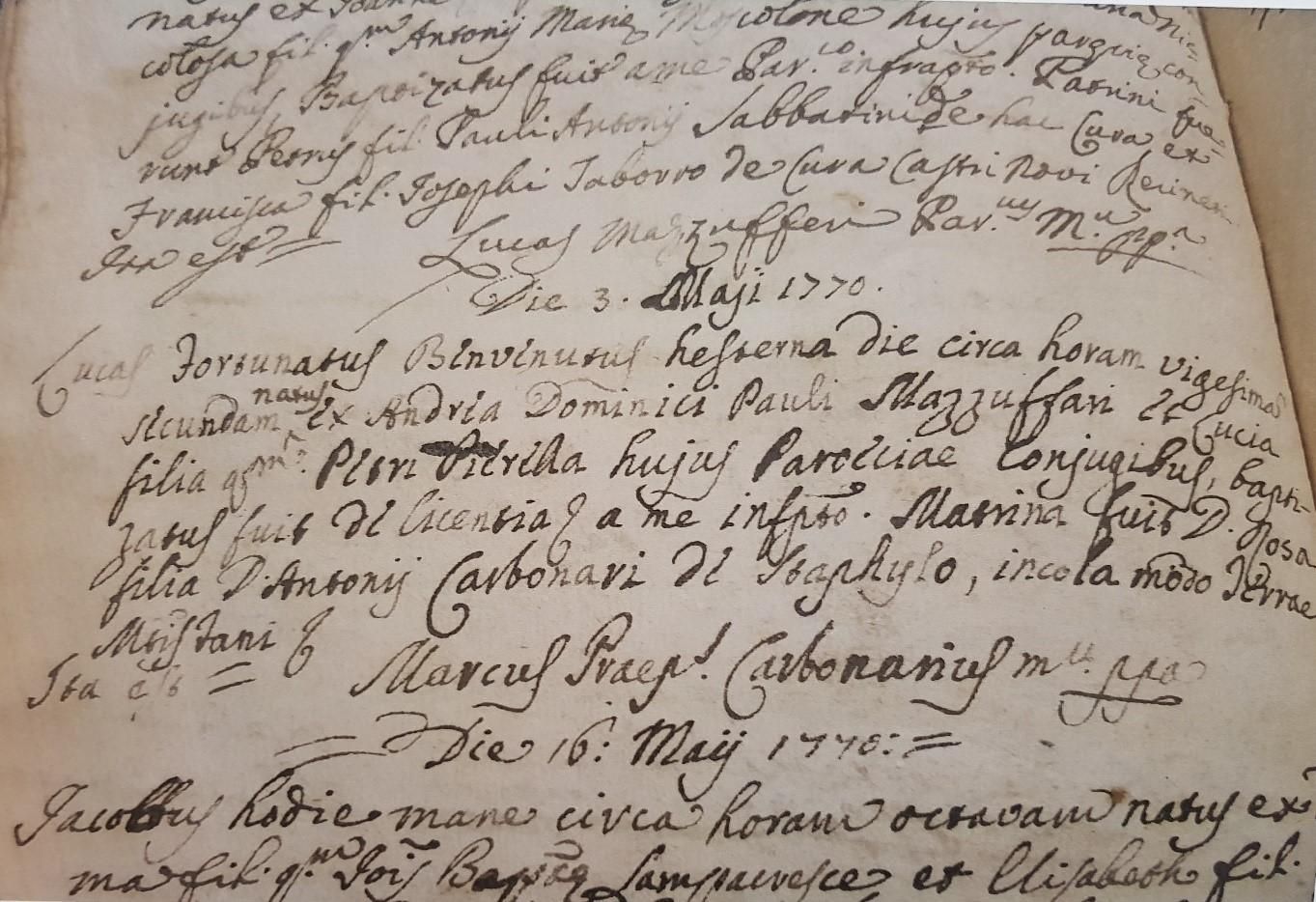
A year that is not on Antenati is a gap in a listing, and a gap has a procedure. The procedure is short. Confirm the gap in the archive’s current listing. Repeat the search in the FamilySearch catalog. If the year is still missing, write one letter, to the comune for a civil act or to the parish for a church entry, and log every step. Skipping ahead to the letter produces requests for books that were online under a different title. Skipping the log produces the same request twice.
This page is that procedure for births, marriages, deaths, baptisms, and burials. It is not a guess about why a particular town’s books look the way they do. Check the archive’s current listing. The listing is the fact. The story you tell yourself about fires and lost provinces can wait until the listing and the catalog have both been read.
Confirm the gap on Antenati before you call it a gap
Open Esplora gli Archivi and walk the tree in the Antenati portal guide: state archive, civil-registration group, comune, series, year. Write down the first year and the last year the tree actually shows for that series. A memory of “they have the 1880s” is not a listing.
Then use Cerca nei registri, described in the portal’s research guide and on the institute’s Antenati page. Enter the locality, the year, and the type of act. Leave Registri con anagrafiche off. That switch hides books that have no name layer. A town that disappears when the switch is on may reappear when you turn it off.
A failed name search does not prove the act is missing. Run Cerca per nome once if you want, and then go back to the tree. Indexed registers are a subset of the images.
While you are in the tree, look for the year under a title you did not expect:
- The year bound with the year before it. Title pages tell you. Open the neighbor.
- Indexes filed as their own item, indici or indice decennale, apart from the annual register.
- Marriages split into matrimoni, pubblicazioni, and allegati or processetti. The act can be online while the packet is not, or the reverse.
- A former comune. If the town was later absorbed, the older books may be filed under the old name. The hometown guide is where you check that.
- Another archive, when the province changed. The region pages note some of those shifts. Look once in the older archive and write down that you did.
Only then may you write “not in the Antenati listing” on the worksheet. Include the date you looked. Listings grow. A note without a date becomes a false memory.
Invented example. You want the 1884 birth of Rosa Bellini, daughter of Antonio Bellini and Caterina Greco, in a comune you have already identified. The tree shows births through 1881 and from 1886. You open the neighboring title pages and search Cerca nei registri for 1884 with the name-layer switch off. The year is still absent. You log the gap with the date. Rosa’s family is invented.
Try FamilySearch before you write
The same volumes were digitized under the June 2011 agreement between the Direzione generale Archivi and FamilySearch, described on Antenati’s history page: stato civile and liste di leva. Catalogs still differ. A year absent from Antenati can be present in the FamilySearch catalog, and a year present on Antenati can be locked or absent on FamilySearch.
Follow the FamilySearch Italy guide. Search the catalog by the comune, then by the province. Open the civil-registration entry and read the years in the notes. Browse the images if a camera icon opens them.
Read the banner on the image. Some sets are viewable at a FamilySearch Center or an affiliate library. FamilySearch uses “affiliate library” for a library with on-site access. This site has no FamilySearch affiliate program. A banner is a place to go, not a year to call missing. Log “restricted” and keep the catalog title, so a visit has a target. If Antenati already failed for that year, the visit or the letter is the remaining path. If Antenati has the images, use Antenati and do not wait on the banner.
Church books are a separate catalog search. The church records page is the overview. Search the parish film when the gap is a birth, marriage, or burial. The Latin word list is for that film. Civil acts use the Italian word list.
Conscription lists are not a reason to write to the comune. They are archive series. If liste di leva are absent from both listings, say so in the log and check the archive’s current listing again when you return. Do not attach a levy list to a letter about a birth.
Decide which office, and send one event
When the listing and the catalog both lack the civil year, the comune is the office that kept the civil register. Write with the comune letter. When you need a baptism, a marriage in the parish, or a burial, write with the parish letter. Pick one office per letter. A letter addressed to both usually reaches neither desk in a useful way.
Wood engraving of Santa Maria di Collemaggio, L'Aquila, from Gustavo Strafforello, La patria, 1899. The engraver is not named. Public domain.
The general ranges on the civil records page tell you what kind of book you are asking for. They are general. Ask for the series your year falls in. Check the archive’s current listing so you do not ask for a year the portal already shows.
Say that the request is for family history. Give:
- The person’s last name and given names, with one alternate spelling only if you truly use it.
- The event and the date, or the narrow range.
- The parents, for a birth or a marriage. For a death, the spouse or the parents if you have them.
- The comune, and the frazione if you know it.
- The statement that you already looked at the state-archive images for that year and did not find the book. Name the archive.
Ask whether they hold the act, what a copy costs, and how they want to be paid. Fees are whatever that office tells you. Do not send cash. Do not enclose a guess. One event. “Everything on the last name Bellini” is not a request an office can file.
Ask for the register entry, the atto, when what you want is the full narrative. A short certificato and an estratto are different copies. The glossary page that separates those words is the vocabulary. The image you failed to find online would have been the atto. It is reasonable to ask for that.
Invented example, continued. The letter for Rosa names Rosa Bellini, born about 1884, daughter of Antonio Bellini and Caterina Greco, in that comune. It says you reviewed the Antenati listing for the archive, which showed births through 1881 and from 1886, and the FamilySearch catalog entry, which did not include 1884 either. It asks whether the comune holds the 1884 birth register and what a copy of the act costs. It does not ask for her marriage, her children, or the whole Bellini family.
Parish letters when the civil book is the wrong book
Some years predate civil registration in that town. The general ranges on the civil records page are the clue, and the town’s own listing is the confirmation. A baptism in the parish book is then the record that names the child and the parents. Use the parish template. Identify the parish as closely as you can: the town, the frazione, the saint’s name if a family paper mentions a church. If you do not know the parish, say so, and ask which parish served the frazione.
A burial entry is not the civil death act. The death reading guide makes that distinction, and it matters for the address. Sepoltura in a church book goes to the parish. Morto in the civil register goes to the comune, or is browsed on the portals when the year is listed.
If you already have the civil act and you want the baptism as well, say that you have the civil act and you are asking only for the parish entry.
Log the gap so the next session starts at the edge
The worksheet needs six lines for a finished negative. Fill them before you close the browser.
- Person and event, including parents.
- Antenati path: archive, series title, years shown, date checked.
- Neighboring volumes opened, with image numbers, so you know the gap is not a mislabeled book.
- FamilySearch catalog title, years in the notes, and whether a banner restricted the images.
- Office you will write to, or the date you sent the letter.
- Outcome, updated when a reply arrives: held, not held, fee quoted, no reply yet.
Keep the reply with the letter. A fee belongs in the log because that office stated it for that request. The next town gets the same procedure and its own reply.
If a reply names a different frazione or an older comune, treat that sentence as a new place clue. Return to the hometown guide, then to Antenati, then to FamilySearch.
What you can stop doing
Once the log shows the year is absent from the tree, another spelling in Cerca per nome will not create a book the archive has not published. One confirmed comune, checked through the listing and the catalog, is the search. A year and the parents are enough to ask whether a register exists. Add the month when you have it. Leave the day blank rather than inventing one.
The beginners’ sequence puts this page late on purpose. Home-country clues, then the comune, then Antenati, then FamilySearch, then one letter. The birth, marriage, and death overviews tell you what to expect inside the book when it arrives. The free records guide is the wider map.
The kit puts the worksheet and both letter templates in one folder. The procedure stays: listing, catalog, one office, one event, written down.
Sources
Questions readers actually ask
If Antenati has no image for that year, is the record gone?
An empty listing means the portal has not published that book. The comune may still hold the civil register, and FamilySearch may have a film of the same year. Confirm the gap before you write.
Who should receive the letter?
A missing civil birth, marriage, or death goes to the comune, using the comune template. A baptism, a parish marriage, or a burial goes to the parish, using the parish template.
What belongs in the log when I stop for the day?
The archive, the comune, the series, the years you actually opened, and the outcome. Separate "not in the listing" from "browsed and not this person" and from "images restricted."